Project Overview
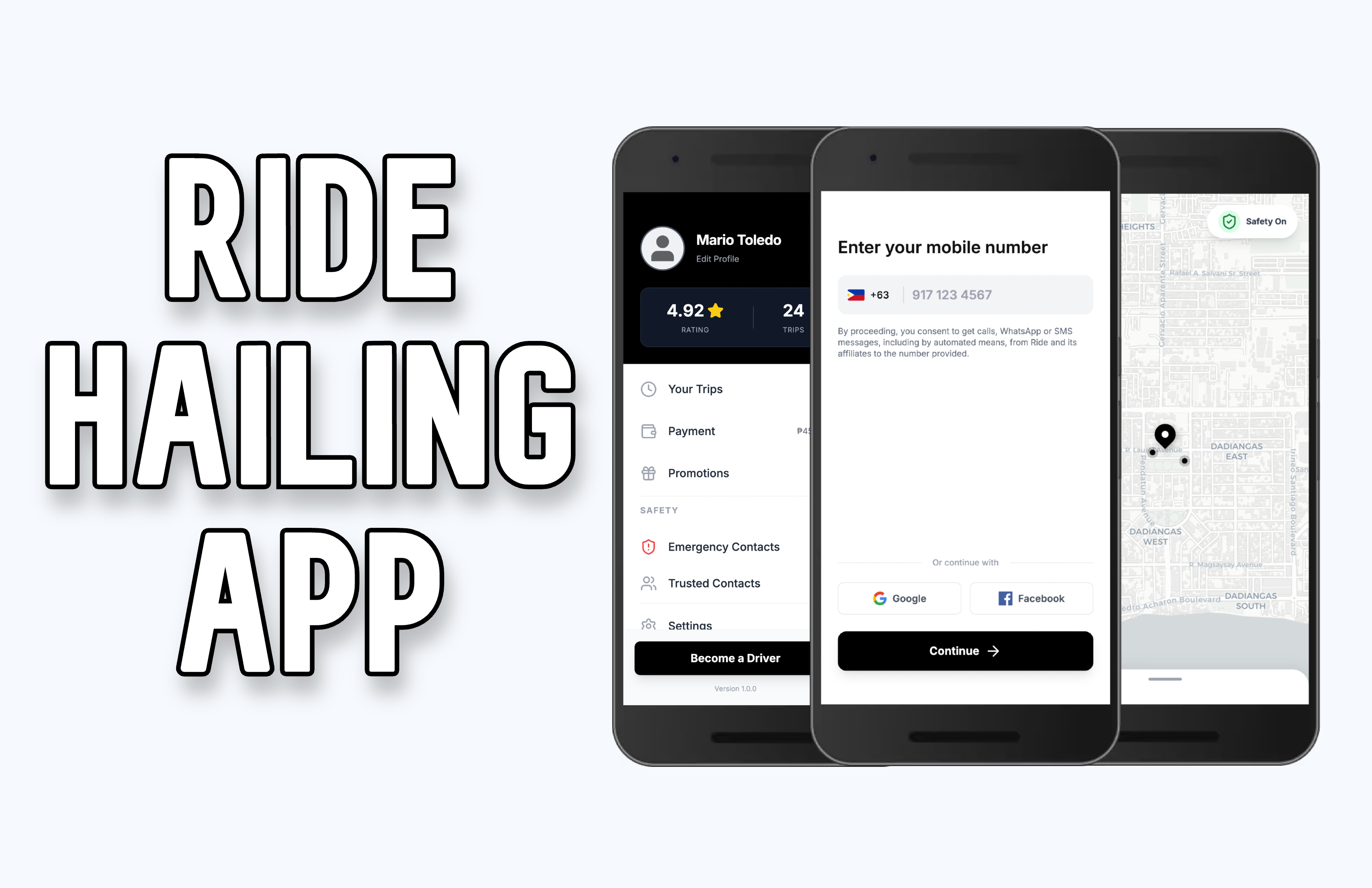
This ride-hailing application features a clean, mobile-first interface designed for seamless navigation between booking rides and managing a user profile. Based on the screens provided, here is a detailed description of the app's content and flow.
1. Authentication & Onboarding
The entry point focuses on a streamlined login process to get users moving quickly.
Mobile Entry: A prominent "Enter your mobile number" header with a localized country code picker (featuring the Philippines flag) and a placeholder for phone input.
Social Integration: Alternative "Continue with Google" and "Facebook" buttons for quick account creation.
Legal Consent: Clear disclosure regarding automated communications (SMS/WhatsApp) from the service.
2. Interactive Map & Booking
The core experience is built around a real-time map interface.
Live Tracking: A light-themed, high-contrast map displaying the user's current location (Dadiangas area) with a central pin and nearby vehicle indicators.
"Safety On" Toggle: A visible status indicator at the top right, providing users with peace of mind regarding active safety features.
Search Entry: A "Where to?" bottom sheet that slides up, allowing users to quickly input their destination.
Navigation Menu: A "hamburger" icon at the top left to access account settings and history.
3. User Profile & Sidebar
The sidebar acts as the central hub for account management and personal statistics.
User Identity: Displays the user's name (e.g., Mario Toledo) and a profile picture placeholder.
Performance Metrics: A dedicated card showing the user’s Rating (e.g., 4.92 stars) and total Trips completed, fostering a sense of community trust.
Navigation Links:
Your Trips: For reviewing history.
Payment: Displays current balances or saved methods.
Promotions: Highlighted with a red notification dot for active deals.
Safety Section: Quick access to "Emergency Contacts" and "Trusted Contacts."
4. Driver Transition
The application bridges the gap between passengers and service providers.
"Become a Driver" CTA: A prominent, high-contrast black button located at the bottom of the sidebar. This allows users to easily transition from a passenger to a rider/driver, facilitating the application process directly within the app.