Project Overview
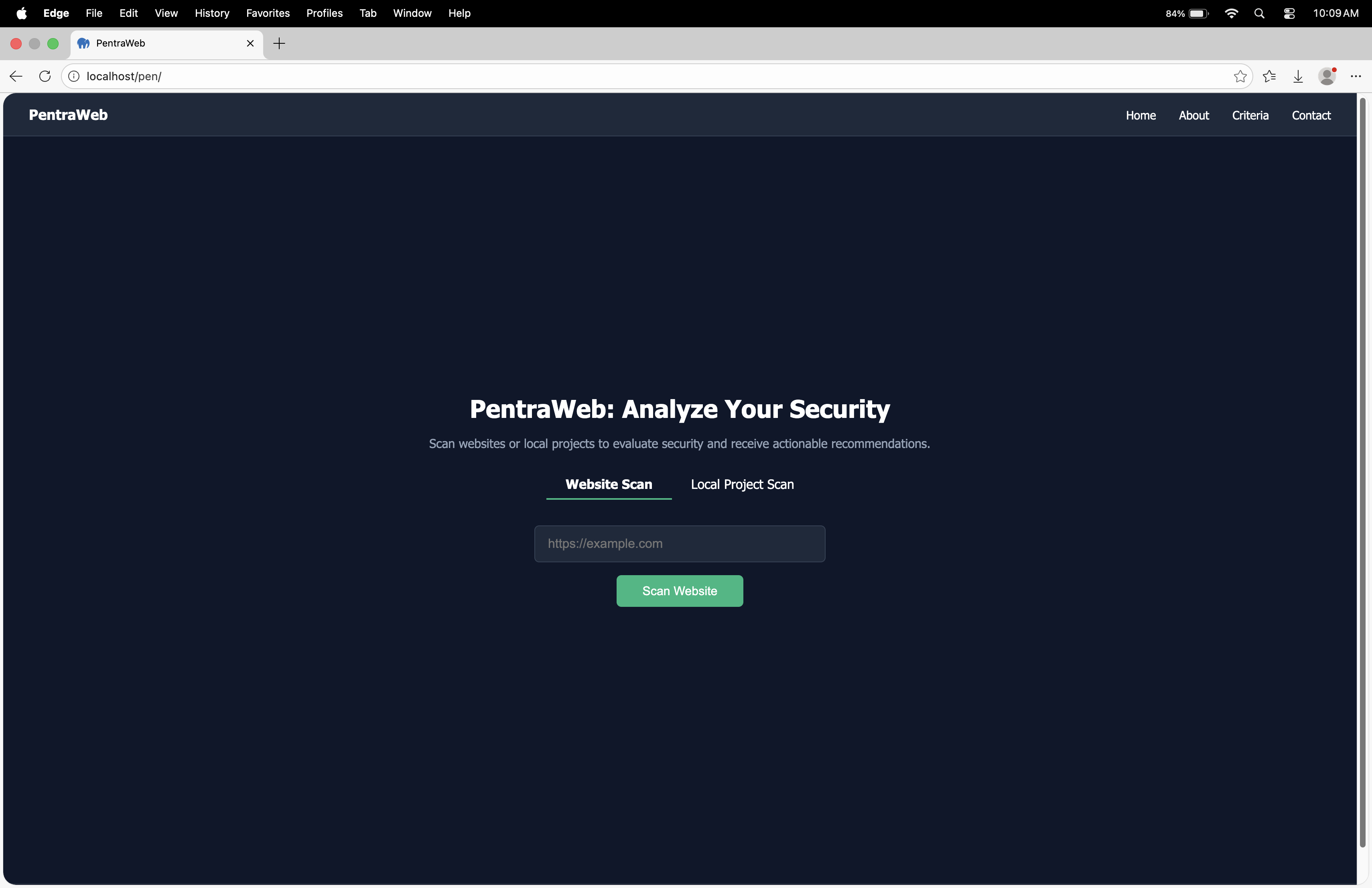
System Overview: PentraWeb
1. Executive Summary
PentraWeb is a comprehensive, web-based penetration testing and vulnerability assessment platform. It serves as an all-in-one security auditing tool for both external websites and internal/local web application projects. The platform is designed for developers, IT administrators, and security professionals to proactively identify, analyze, and remediate security weaknesses through automated scans and detailed reporting.
2. Core Features & Capabilities
A. Dual-Mode Security Scanning
The platform's primary strength is its ability to conduct two distinct types of security assessments:
Online Website Scanning (Black-Box Analysis):
Target: Publicly accessible URLs (e.g.,
https://www.google.com).Method: Performs external reconnaissance and tests common web vulnerabilities without internal access.
Checks Performed:
HTTPS/SSL/TLS Enforcement
Security Headers: HSTS (HTTP Strict Transport Security), CSP (Content Security Policy), X-Frame-Options.
Cookie Security:
HttpOnly,Secure, andSameSiteattributes.Common Web Vulnerabilities: SQL Injection, Cross-Site Scripting (XSS), Open Redirects.
Information Disclosure: Server header exposure, Clickjacking susceptibility.
CMS & Library Detection: Identifies outdated frameworks (e.g., jQuery, WordPress).
Local Project Scanning (White-Box/Internal Analysis):
Target: Project directories on the local server (e.g.,
cloud,era).Method: Analyzes source code, file structure, server configuration, and application logic with deep access.
Checks Performed:
Backend Security: PHP version, database configuration, use of prepared statements.
Authentication Flaws: Password hashing strength (checks for
bcrypt,Argon2).File System Issues: Incorrect file permissions, presence of sensitive files (backups, config files, IDE files).
Code Quality: Detection of debug statements (
var_dump,console.log), exposed admin panels.Input Validation & Output Encoding.
Session Management.
B. Intelligent Reporting & Analytics Dashboard
Scan Results Page: Presents findings with a clear Security Score (percentage), an overall status (Pass/Moderate/Needs Improvement), and a categorized list of checks with Pass/Fail/Warning statuses.
Actionable Recommendations: For every vulnerability found, the system provides specific, actionable remediation steps (e.g., "Use PHP's
password_hash()function," "AddStrict-Transport-Securityheader," "Restrict file permissions to 640").Trending & History:
Online Penetration History: Logs all past website scans with timestamps and scores.
Localhost Penetration History: Logs all past local project scans.
Allows users to "View Details" of any past scan, recreating the full report.
Administrator Dashboard: Provides a high-level overview for power users.
Metrics: Tracks total scans, penetration results over time.
Visual Analytics: Charts showing vulnerability trends (e.g., "Monthly Web Penetration," breakdowns of issues by category like Database, XSS, File Permissions).
Executive Summaries: Quick-glance widgets for "Online Web Scans" and "Localhost Web Scans" highlighting potential issue counts.
C. User Management & Workflow
Public User Flow:
Land on homepage.
Choose scan type (Website or Local Project).
Enter target (URL or folder name).
Initiate scan and view real-time progress.
Review results and detailed recommendations.
Download a PDF report.
Administrator Flow:
Log in via a separate admin portal.
Access a centralized dashboard with analytics.
View aggregated scan history and trends.
Manage or oversee all scanning activity.
3. Technical Stack & Implementation (Inferred)
Frontend: Modern HTML5, CSS, and JavaScript (evident from dynamic progress bars, interactive dashboards, and chart visualizations).
Backend: Primarily PHP.
Evidence: Scans local
.phpfiles, checks forpassword_hash(), referenceshome.phpin URLs.Likely uses cURL or similar for external website scanning.
File system operations for local project analysis.
Database: Used to store user data, scan history, and administrator logs (implied by the dashboard's persistent data).
Deployment: Demonstrated running on a local development stack (
localhost/ipen/), but architected for web hosting.
4. Security Philosophy & Criteria
The platform evaluates targets based on a documented set of 10 essential security criteria:
HTTPS Protocol
Secure Authentication
Secure Data Storage
Regular Software Updates
Input Validation
Secure Cookies
Proper Access Control
Security Audits
Backup and Recovery
User Awareness
This framework aligns with industry standards (OWASP Top Ten, SANS) and ensures a holistic assessment.
5. Target Audience & Value Proposition
For Developers: Integrate security early in the SDLC (Software Development Life Cycle) by scanning local projects before deployment.
For Website Owners/Admins: Continuously monitor the public-facing security posture of their sites for configuration drifts and new vulnerabilities.
For Security Teams: Use the administrative dashboard to track organizational security trends, generate compliance reports, and prioritize remediation efforts.
Value: PentraWeb democratizes security testing by providing an automated, user-friendly platform that translates complex vulnerability data into clear, actionable insights, reducing the barrier to entry for proactive web application security.
6. Key Differentiators Observed
Source-Code Aware Local Scanning: Unlike many purely external scanners, it can analyze application logic and server-side configurations.
Unified Platform: Combines external (black-box) and internal (white-box) scanning in a single interface.
Context-Aware Recommendations: Advice is tailored to the specific technology and vulnerability (e.g., suggests PHP functions for PHP projects, specific HTTP headers for web servers).
Historical Tracking & Analytics: Provides not just point-in-time results but tracks security posture over time, which is crucial for measuring improvement.
In conclusion, PentraWeb is a feature-rich, practical security platform designed to be a first line of defense in the modern web development and maintenance workflow, emphasizing automation, clarity, and actionable outcomes.